


The Chipotle Conundrum: Is Your Bowl Healthy or a Hidden Calorie Trap?
Let's give credit where it's due: Chipotle's commitment to fresh, real ingredients is a huge plus. You can build a meal packed with lean protein, fiber-rich beans, and tons of vegetables. This level of control is a massive advantage over traditional fast food.
However, this "health halo" can be misleading. A seemingly healthy choice can quickly become a calorie bomb. Here are the common pitfalls:
- Generous Portions: A standard serving of rice at Chipotle is 4 ounces (around 210 calories), but enthusiastic scooping can easily push that higher.
- High-Calorie Add-ons: This is where a healthy bowl can go off the rails. A single serving of queso blanco, sour cream, or cheese can each add 100-120 calories and a significant amount of saturated fat.
- The Vinaigrette Deception: That delicious honey vinaigrette you drizzle over your salad? A single serving packs nearly 300 calories, primarily from oil and sugar.
Consider this: a chicken bowl with lettuce, fajita veggies, and fresh tomato salsa is a lean choice. But add white rice, cheese, sour cream, and guacamole, and you’ve just pushed your meal from around 400 calories to well over 1,000. Without a reliable Chipotle calorie counter, you could be unknowingly sabotaging your progress.
Why Manual Calorie Counters Fail for Custom Meals
If you've ever tried to log a Chipotle bowl in a traditional calorie-tracking app, you know the frustration. It’s a process designed for failure:
- The Tedium of Manual Entry: You have to search for and add each ingredient one by one: "White Rice - Chipotle," "Chicken - Chipotle," "Black Beans - Chipotle"... It's slow, repetitive, and turns a meal into homework.
- The Inaccuracy of Guesswork: How much is "one scoop" of rice? Was it level or heaping? Did you get extra cheese? Manual entry forces you to guess portion sizes, making your data unreliable and defeating the purpose of tracking.
- The Inevitable Burnout: This tedious and inaccurate process is the number one reason people give up on tracking their food. You need a smarter, faster, and more accurate solution. You need a true smart calorie counter.
SnapEat AI: The Ultimate Smart Calorie Counter for Chipotle
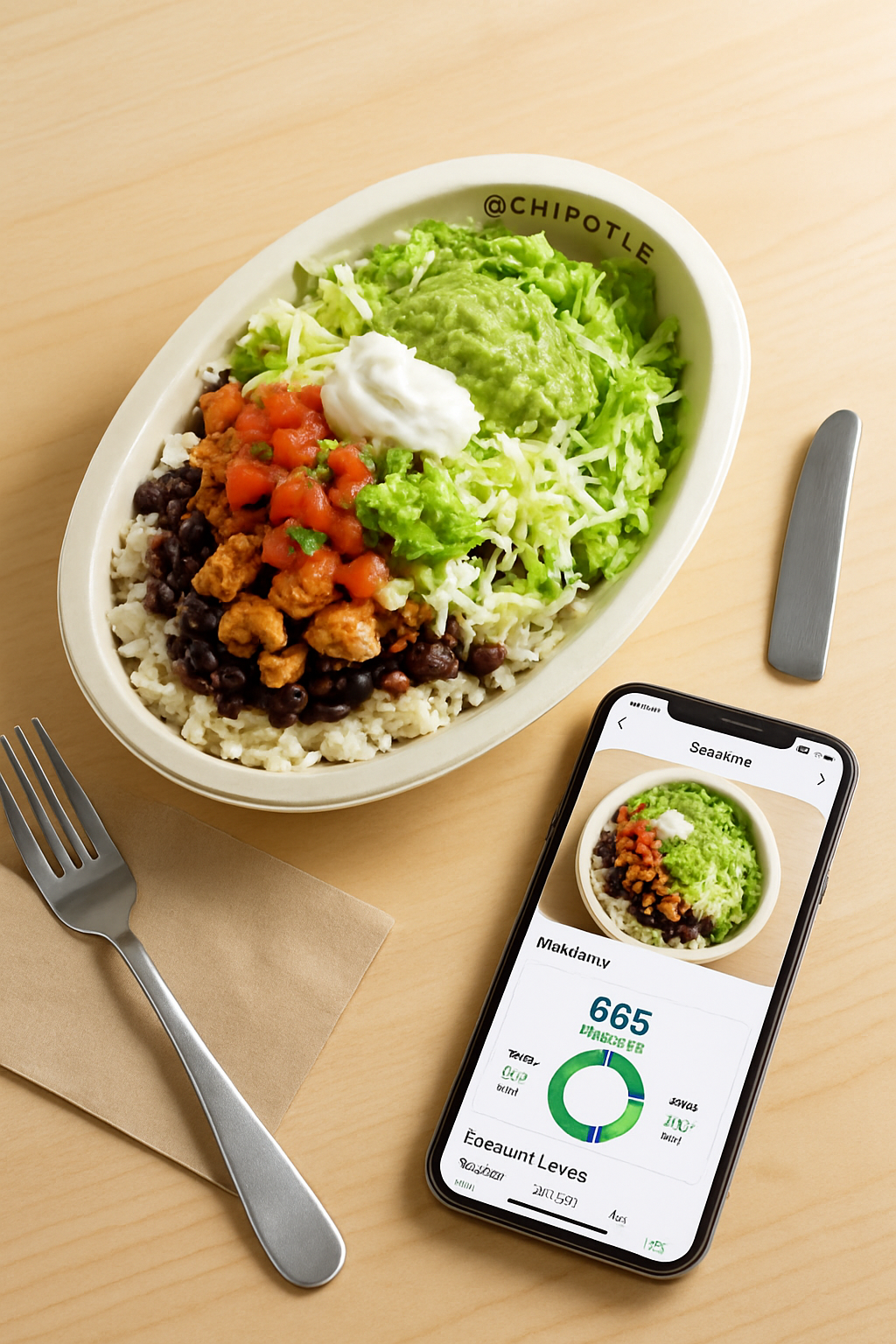
Imagine this: you sit down with your freshly made Chipotle bowl. You open an app, take one photo, and within seconds, you have a detailed breakdown of the calories, protein, carbs, and fats. That’s not the future; that's SnapEat AI, the best app to log Chipotle food.
Our AI food tracker uses advanced image recognition to do the hard work for you:
- How It Works: Just snap a picture of your meal. Our powerful AI analyzes the photo, identifies every ingredient (the rice, the chicken, the salsa, the guac), and estimates the portion size of each.
- Unmatched Speed and Convenience: It turns a 5-minute manual logging chore into a 5-second snap. This seamless experience is the key to building a consistent tracking habit.
- High Accuracy for Complex Meals: SnapEat AI is built to handle mixed meals like a Chipotle bowl. It understands context and provides a holistic and highly accurate analysis, making it the most effective Chipotle nutrition calculator app available.
- Full Macro Breakdown: It’s not just about calories. See a complete picture of your nutrition, which is crucial whether your goal is weight loss, muscle gain, or simply balanced eating.
How to Track Your Chipotle Meal in 3 Simple Steps
Ready to see how easy it is? Here’s how to track calories at Chipotle with unparalleled ease:
- Build Your Masterpiece: Order your go-to bowl, burrito, or salad at Chipotle exactly how you like it.
- Open SnapEat AI: Before you take your first bite, open the app's camera.
- Take a Clear Photo: Position your phone directly over the meal and snap a well-lit photo. Make sure all the ingredients are visible.
- Review Your Instant Analysis: The AI will process the image and present you with a detailed nutritional summary. It's that easy.
Nutritionist's Pro-Tips: How to Build a Macro-Friendly Chipotle Bowl
As nutrition experts, we love tools like SnapEat AI because they empower you to make smarter choices on the fly. Here are some goal-oriented ways to build your next Chipotle meal:
- For Fat Loss: Start with a salad base to load up on volume and fiber with minimal calories. Add a single portion of lean protein (chicken, steak, or sofritas), double up on fajita veggies, and use salsas for flavor. Be highly selective with high-fat toppings like cheese, queso, and sour cream.
- For Muscle Gain: This is where you can leverage Chipotle's portions. Ask for double protein—it's the most efficient way to hit your goals. Opt for brown rice for sustained energy and fiber. Beans are a great source of both carbs and protein, and guacamole is an excellent source of healthy fats for adding quality calories.
- For General Health: Create balance. A great template is a bowl with half brown rice, half lettuce. Add your favorite protein, a serving of beans, plenty of fajita veggies, and pico de gallo. Then, choose one source of healthy fat: either cheese, guacamole, or sour cream, but not all three.
Frequently Asked Questions About Chipotle Nutrition
What is the most accurate Chipotle calorie counter?
The most accurate calorie counter for a custom meal like a Chipotle bowl is an AI-powered photo logger like SnapEat. It eliminates guesswork by visually analyzing ingredients and portion sizes, offering a more precise breakdown than manual-entry apps where users have to estimate quantities.
How can I find the calorie count of my specific Chipotle bowl?
While Chipotle's website has a nutrition calculator, it assumes standard portions. The easiest and most accurate way to find the calorie count of your actual meal is to use the SnapEat AI app. Simply take a photo of your bowl, and the AI will analyze its specific contents for an instant, personalized nutritional report.
Can I eat Chipotle and still lose weight?
Absolutely. Weight loss is about maintaining a calorie deficit. By using a tool like SnapEat to track your Chipotle meal, you can ensure your bowl fits within your daily calorie and macro goals. Opt for a salad base with lean protein and lots of veggies to create a delicious, filling, and low-calorie meal.
Eat Smart, Not Less: Take Control with SnapEat AI
Chipotle doesn’t have to be a "cheat meal." It can be a delicious and integral part of your healthy lifestyle, provided you stay informed and mindful. The guesswork and frustration of manual tracking are over.
With SnapEat AI, you have a powerful Chipotle calorie counter right in your pocket. You can enjoy the food you love while staying perfectly aligned with your health and fitness goals. It’s time to stop guessing and start knowing.
Ready to transform your nutrition journey? Download SnapEat AI from the app store today and take a picture of your next Chipotle meal. You'll be amazed at what you discover.