


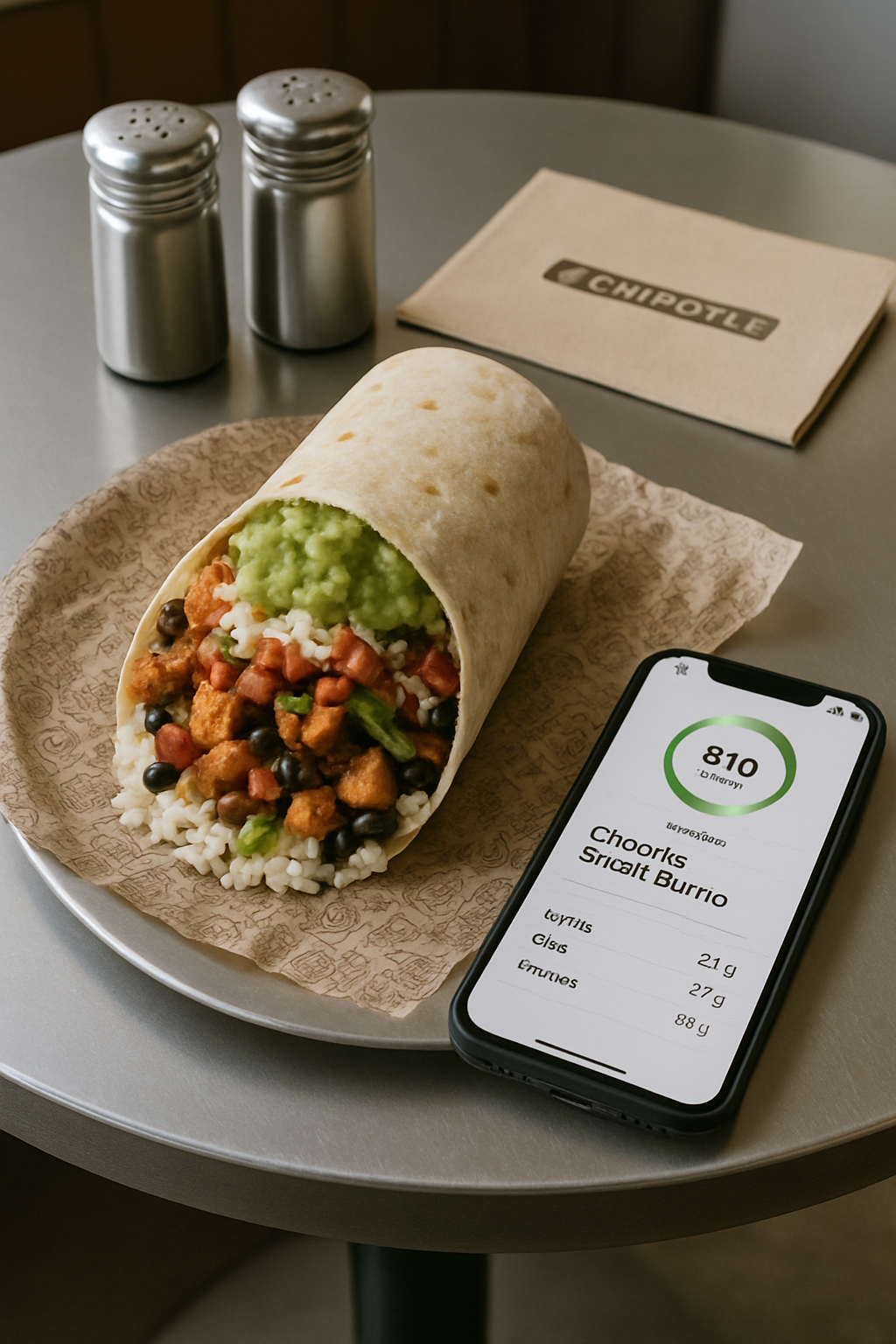
The Chipotle Calorie Challenge: Why Manual Tracking Fails
Let’s be honest, trying to log a Chipotle meal in a traditional calorie tracking app is a frustrating exercise in guesswork. For anyone serious about their nutrition, this presents a major roadblock. Here’s why it’s so notoriously difficult:
1. The Customization Conundrum
Your bowl is not the same as the person’s behind you. The choice between white and brown rice, black or pinto beans, chicken or sofritas, and a medley of salsas creates thousands of unique nutritional combinations. A standard database entry for a "Chipotle Bowl" simply can't account for your specific creation, making accurate calorie tracking impossible.
2. The Portion Size Illusion
Did you get a level scoop of rice or a heaping one? Was that a standard serving of cheese or a more generous sprinkle? The server behind the counter has a massive impact on your final calorie and macro count. This makes even Chipotle's official nutrition calculator a helpful guide, but not a precise tool for your specific meal.
3. The Hidden Calorie Culprits
The most delicious parts are often the most calorie-dense. A scoop of queso, a dollop of sour cream, and that essential side of guacamole can easily add 300-500 calories. These are the details that are easy to underestimate or forget when logging manually, silently sabotaging your diet goals.
Enter SnapEat AI: Your Pocket Nutrition Coach
Imagine finishing your meal, pulling out your phone, taking a picture, and instantly getting a detailed nutritional breakdown. That’s the promise of an AI calorie tracker. SnapEat AI is a leading example of this technology, designed to eliminate the friction and inaccuracy of manual logging.
- How It Works: The "Snap and Track" Magic: It’s as simple as it sounds. You take a photo of your food, and the AI’s sophisticated image recognition technology identifies the different ingredients—the chicken, the beans, the rice, the veggies, and even the dollop of sour cream.
- Beyond Calories: A Full Macro Breakdown: A true nutrition coach does more than count calories. SnapEat AI breaks down your meal into its core macronutrients: protein, carbohydrates, and fats. This is crucial for anyone trying to hit specific macro targets for muscle gain or fat loss.
- The Power of Precision: By visually analyzing the volume of each ingredient in your bowl, the AI provides a much more accurate estimate of portion sizes than human guesswork. It can see the difference between a little rice and a lot, giving you a truer picture of your intake.
The Test: Tracking a Chipotle Meal with SnapEat AI
Let's walk through a common scenario. You order a chicken burrito bowl with white rice, black beans, fajita veggies, salsa, cheese, and guacamole. This delicious creation can easily top 1,000 calories.
- The Old Way (Manual Guesswork): You open your app, search for each ingredient, and guess the amounts. 4oz of chicken? A quarter cup of cheese? You spend five minutes making estimates, and the final number is likely off by hundreds of calories.
- The New Way (SnapEat AI): You snap a photo. Within seconds, you get a report: "Estimated 1,050 calories, 55g Protein, 80g Carbs, 58g Fat." But the smart nutrition coaching goes further, offering an insight like: "High in sodium and saturated fat. For a leaner option next time, try it without cheese or get guacamole on the side." This instant feedback transforms data into an actionable decision-making tool.
Smart Coaching: Making Chipotle Work For Your Goals
Using an AI-powered calorie tracking app isn't just about logging what you ate; it's about learning how to eat better. Here’s how you can build a Chipotle order that aligns perfectly with your health goals, turning the restaurant into your personal meal prep station.
For Fat Loss: The Lean & Green Machine Bowl
Your goal is to maximize protein and fiber while managing calories. This is the ideal healthy Chipotle order for weight loss.
- Base: Start with a Salad bowl (extra fiber, low calorie).
- Protein: Get Double Chicken or Steak (high satiety to keep you full longer).
- Grains/Beans: Go light on brown rice and black beans, or skip them to save carbs.
- Toppings: Load up on fajita veggies and all the salsas (fresh tomato, tomatillo green).
- Smart Choice: Skip the cheese, queso, and sour cream. Get a small side of guacamole for healthy fats if it fits your calorie budget.
For Muscle Gain: The Performance Fuel Bowl
Your goal is balanced macros with enough energy to fuel workouts and recovery.
- Base: Brown rice (complex carbs for sustained energy).
- Protein: Double meat is a must for hitting protein goals.
- Beans: Add black or pinto beans for extra carbs, fiber, and plant-based protein.
- Toppings: Fajita veggies, salsa, and definitely include guacamole for nutrient-dense calories and healthy fats.
- Smart Choice: Cheese and sour cream can be included in moderation to increase calories and fat.
This "Track, Analyze, Adjust" loop is the cornerstone of sustainable healthy eating. You track your meal with SnapEat AI, analyze the results without judgment, and adjust your choices for next time.
Frequently Asked Questions (FAQ)
How accurate is tracking calories from a photo?
AI calorie trackers like SnapEat AI use advanced image recognition and vast nutritional databases to estimate calories and macros. While not 100% perfect, they are significantly more accurate than human guesswork, especially for complex, customized meals like a Chipotle bowl where portion sizes vary greatly.
Can you lose weight while eating Chipotle?
Absolutely. The key is making smart choices. By focusing on lean proteins, lots of vegetables, and limiting high-calorie toppings like cheese and queso, you can easily create a low-calorie, high-protein meal that supports weight loss. Using an app to track your custom bowl ensures you stay within your daily goals.
What is the healthiest thing to order at Chipotle?
A salad bowl with double chicken, fajita vegetables, fresh tomato salsa (pico de gallo), and a light serving of black beans is one of the healthiest, most balanced options. It's high in protein and fiber, and low in calories and unhealthy fats.
Conclusion: Embrace the Craze, Ditch the Guesswork
The Chipotle craze isn’t going anywhere, and it shouldn’t have to. You don't need to avoid your favorite foods to achieve your health and fitness goals; you just need smarter tools. Technology like SnapEat AI empowers you to move from food anxiety to food intelligence. It takes the tedious guesswork out of tracking Chipotle calories and provides the insights of a personal nutrition coach right in your pocket. By understanding the true impact of your choices, you can confidently build a burrito or bowl that is both satisfying and perfectly aligned with your journey.
Ready to stop guessing and start knowing? Download an AI nutrition tracker and make your next Chipotle run a smart one.